
2D optimization#
Walkthrough#
Create the TargetGeometry object. In this case, the imagefilename keyword argument is specified to create the object from an image file. The pixels keyword argument specifies the width of the desired square 2D target array. Show the target with the show() method.
import vamtoolbox as vam
import numpy as np

target_geo = vam.geometry.TargetGeometry(imagefilename=vam.resources.load("reschart.png"),pixels=501)
target_geo.show()

Create the ProjectionGeometry object. First, the angles array is created by using numpy.linspace to create 1D array of evenly spaced angles at which to perform projection.
num_angles = 360
angles = np.linspace(0, 360 - 360 / num_angles, num_angles)
proj_geo = vam.geometry.ProjectionGeometry(angles,ray_type='parallel',CUDA=True)
Create an vamtoolbox.optimize.Options object and run optimization. The Options object holds the parameters used by the optimize() function.
optimizer_params = vam.optimize.Options(method='CAL',n_iter=10,d_h=0.85,d_l=0.6,filter='hamming',verbose='plot')
opt_sino, opt_recon, error = vam.optimize.optimize(target_geo, proj_geo,optimizer_params)
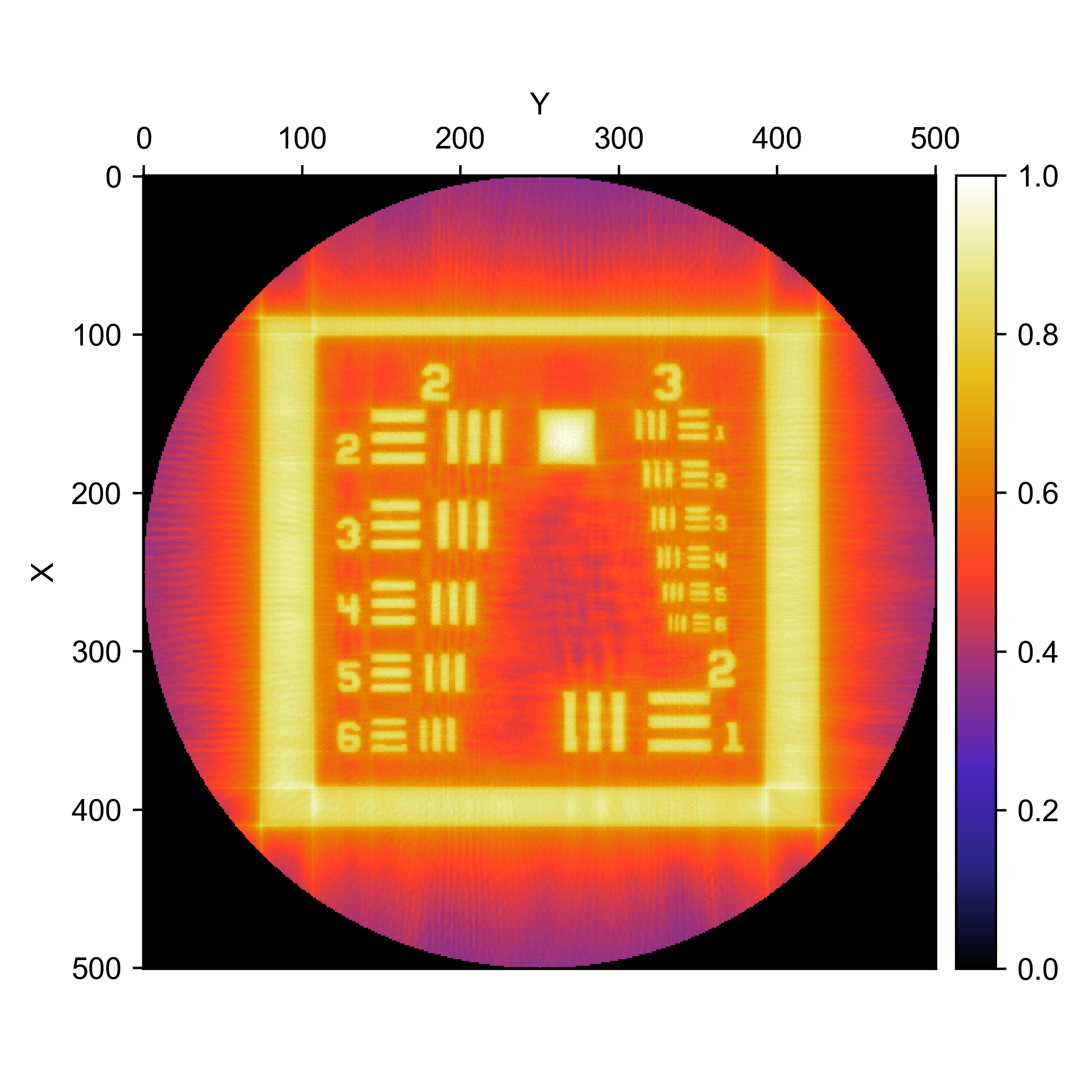
Show the optimized reconstruction and sinogram with the show() method.
opt_recon.show()
opt_sino.show()

Example file#
examples/2Doptimization.py#
import vamtoolbox as vam
import numpy as np

target_geo = vam.geometry.TargetGeometry(imagefilename=vam.resources.load("reschart.png"),pixels=501)
target_geo.show()

num_angles = 360
angles = np.linspace(0, 360 - 360 / num_angles, num_angles)
proj_geo = vam.geometry.ProjectionGeometry(angles,ray_type='parallel',CUDA=True)

optimizer_params = vam.optimize.Options(method='CAL',n_iter=10,d_h=0.85,d_l=0.6,filter='hamming',verbose='plot')
opt_sino, opt_recon, error = vam.optimize.optimize(target_geo, proj_geo,optimizer_params)
opt_recon.show()
opt_sino.show()